YumaPro yangdump-pro from YumaWorks
Introduction
YumaWorks is a company that offers a suite of network management and control plane automation tools, with a focus on YANG, NETCONF, and RESTCONF.
Their product YumaPro Client consists of three tools:
-
yangdump-pro: [TODO] Summary
-
yangdiff-pro: [TODO] Summary
-
yangcli-pro: [TODO] Summary
YumaPro Client also includes an installer for YumaBench, but we discuss YumaBench separately here.
The YumaPro Client software is free. The license allows you to use it “for internal use only, for the sole purpose of defining and managing networking devices on its own internal (enterprise) network.” Note: I am not affiliated with YumaWorks in any way and I don’t get any commission.
Download and install
You can download the YumaPro Client software from the download page It is available for macOS and for several Linux distributions. I evaluated version 21.10-5 for macOS.
The installation procedure downloads a zip file with the following contents:
.
├── etc
│   └── yumapro
│       ├── yangcli-pro-sample.conf
│       ├── yangdiff-pro-sample.conf
│       └── yangdump-pro-sample.conf
└── usr
    └── local
        ├── bin
        │   ├── yangcli-pro
        │   ├── yangdiff-pro
        │   ├── yangdump-pro
        │   └── yumabench-mac-os-installer
        ├── lib
        │   ├── libyumapro_mgr.dylib
        │   ├── libyumapro_ncx.dylib
        │   └── libyumapro_ycli.dylib
        └── share
            ├── doc
            │   └── yumapro
            │       ├── AUTHORS
            │       ├── README.yumapro-client
            │       ├── yumapro-client-user-license.pdf
            │       └── yumapro-legal-notices.pdf
            ├── man
            │   └── man1
            │       ├── yangcli-pro.1.gz
            │       ├── yangdiff-pro.1.gz
            │       ├── yangdump-pro.1.gz
            │       └── yumabench-mac-os-installer.1.gz
            └── yumapro
                └── modules
                    ├── ietf
                    │   └── RFC
                    │       ├── iana-crypt-hash.yang
                    │       ├── iana-hardware.yang
                   ...     ...
                    │       └── notifications.yang
                    ├── mib
                    │   ├── IANAifType-MIB.yang
                    │   ├── IF-MIB.yang
                   ...     ...
                    │   └── yang-smi.yang
                    ├── netconfcentral
                    │   ├── toaster.yang
                    │   ├── yuma-app-common.yang
                   ...     ...
                    │   └── yuma-xsd.yang
                    └── yumaworks
                        ├── example-fan.yang
                        ├── netconfd-pro.yang
                       ...     ...
                        └── yumaworks-yp-ha.yang
Getting the executables to run
The directory usr/local/bin in the downloaded zip file contains the executables
yangcli-pro, yangdiff-pro, and yangdump-pro.
When you try to run any of these executables for the first time, you get an error
similar to the following:
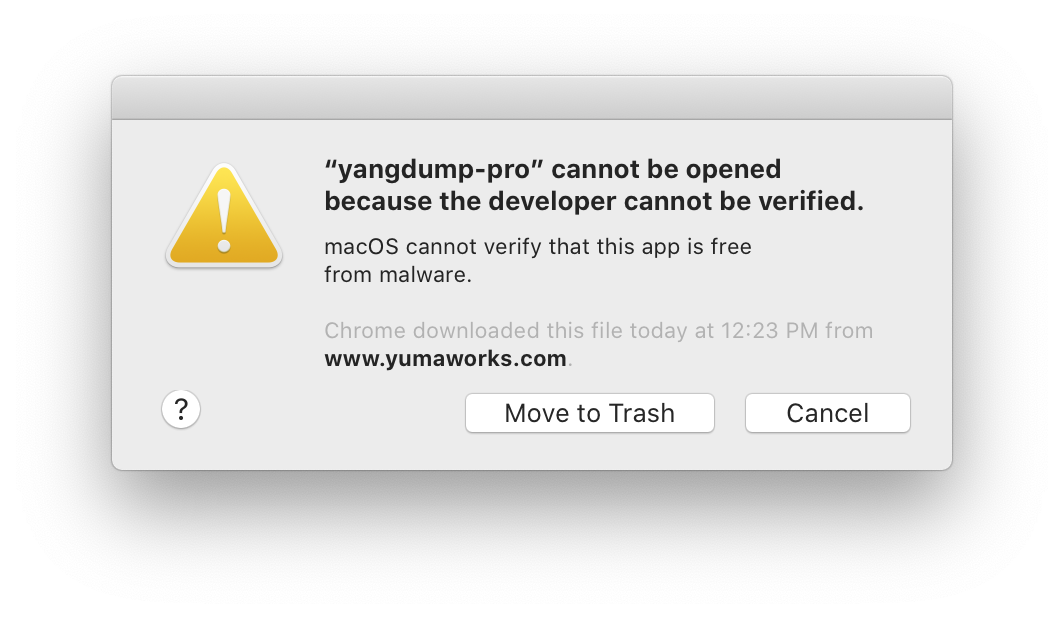
When that happens, click on cancel. Then open the System Preferences app, go into the Security & Privacy tab, and click the Allow Anyway button next to the warning “yangdump-pro” was blocked from use because it is not from an identified developer. When you run the executable again, click op Open when you get the following warning:
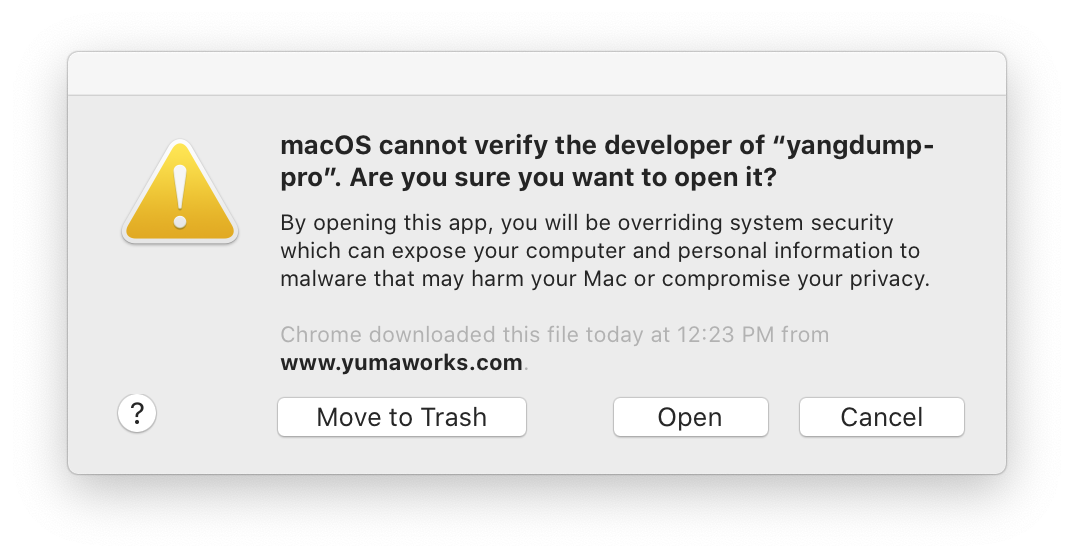
When you click on Open, you get an error similar to the following:
$ ./yangdump-pro
dyld: Library not loaded: libyumapro_ncx.dylib
  Referenced from: /Users/brunorijsman/Downloads/yumapro-client-21.10-5/usr/local/bin/./yangdump-pro
  Reason: image not found
[1]    31095 abort      ./yangdump-pro
The next attempt to run the tool complains that the shared library cannot be verified:
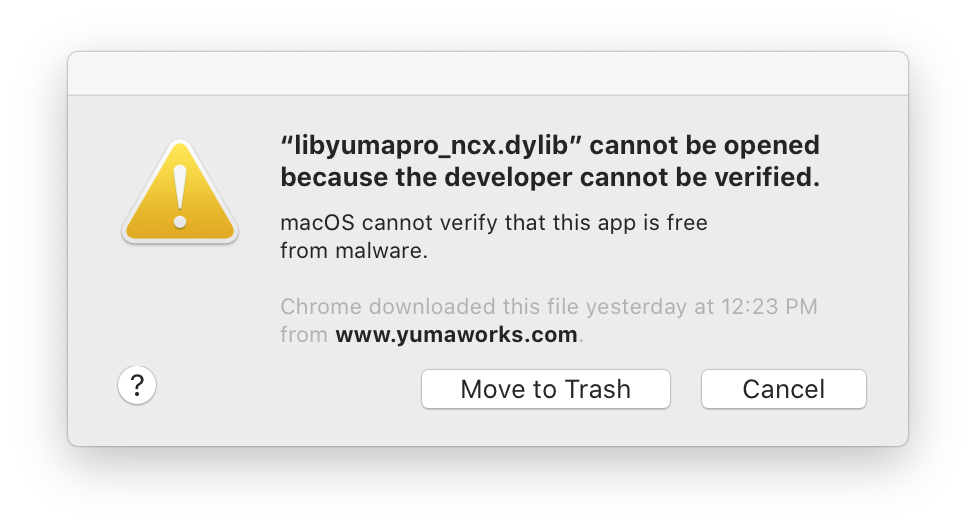
As before, go into System Preferences at click Allow Anyway.
The next attempt to run the tool complains that it developer of the shared library cannot be verified:
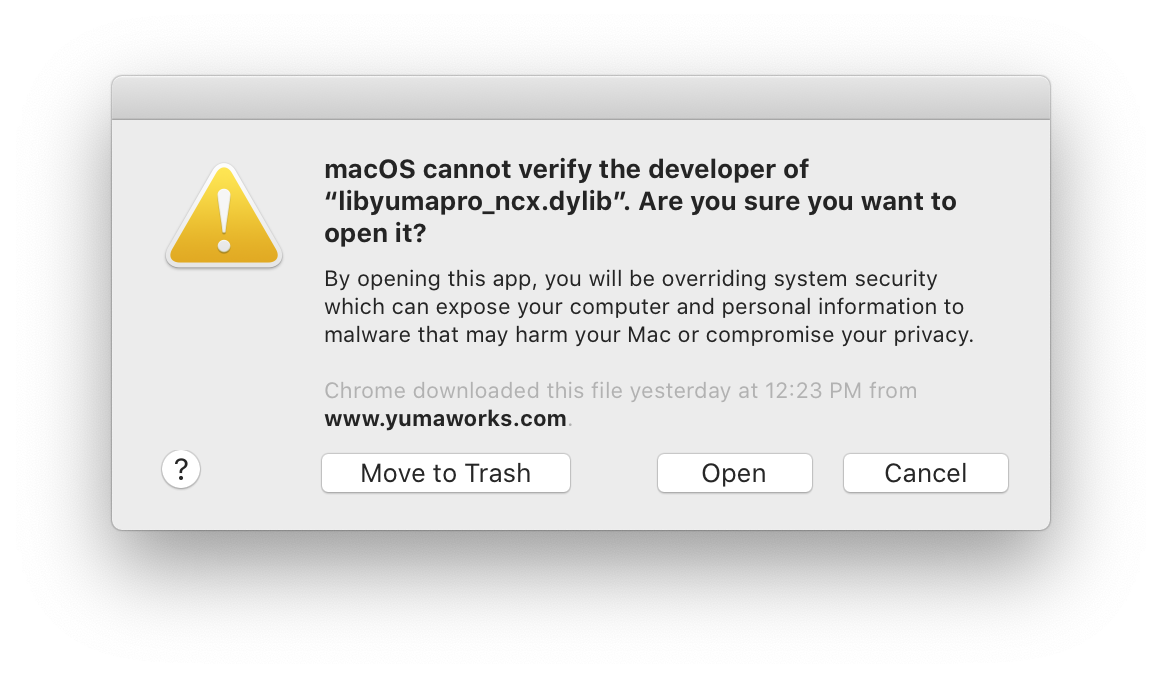
Once again, click Open.
Now you get the following error message:
 $ ./yangdump-pro

Load module 'yuma-ncx' failed (module not found)
yangdump-sdk: Error exit (module not found)
To work around this error,
(1) add usr/local/bin to the PATH,
(2) run the tool from the usr/local/share/yumapro/modules directory,
(3) use the --modpath=. command line option:
$ export PATH=${PATH}:~/Downloads/yumapro-client-21.10-5/usr/local/bin
$ cd ~/Downloads/yumapro-client-21.10-5/usr/local/share/yumapro/modules
$ yangdump-pro --modpath= --version

yangdump-sdk 21.10-5
Validate a YANG file
The tool yangdump-pro can be used to validate a YANG file:
$ yangdump-pro --modpath=. ~/yang-tutorial/interfaces.yang

*** /Users/brunorijsman/yang-tutorial/interfaces.yang
*** 0 Errors, 0 Warnings
Here is an example output for a YANG file that contains errors:
$ yangdump-pro --modpath=. ~/yang-tutorial/bad-interfaces.yang

Error:  Got 'organisation', Expected: module header statement
bad-interfaces.yang:6.5: error(246): wrong token value

Error: type 'uint46' not found
bad-interfaces.yang:47.17: error(299): unknown data type

*** /Users/brunorijsman/yang-tutorial/bad-interfaces.yang
*** 2 Errors, 0 Warnings
Convert a YANG file
The tool yangdump-pro can be used to convert a YANG file to a different format.
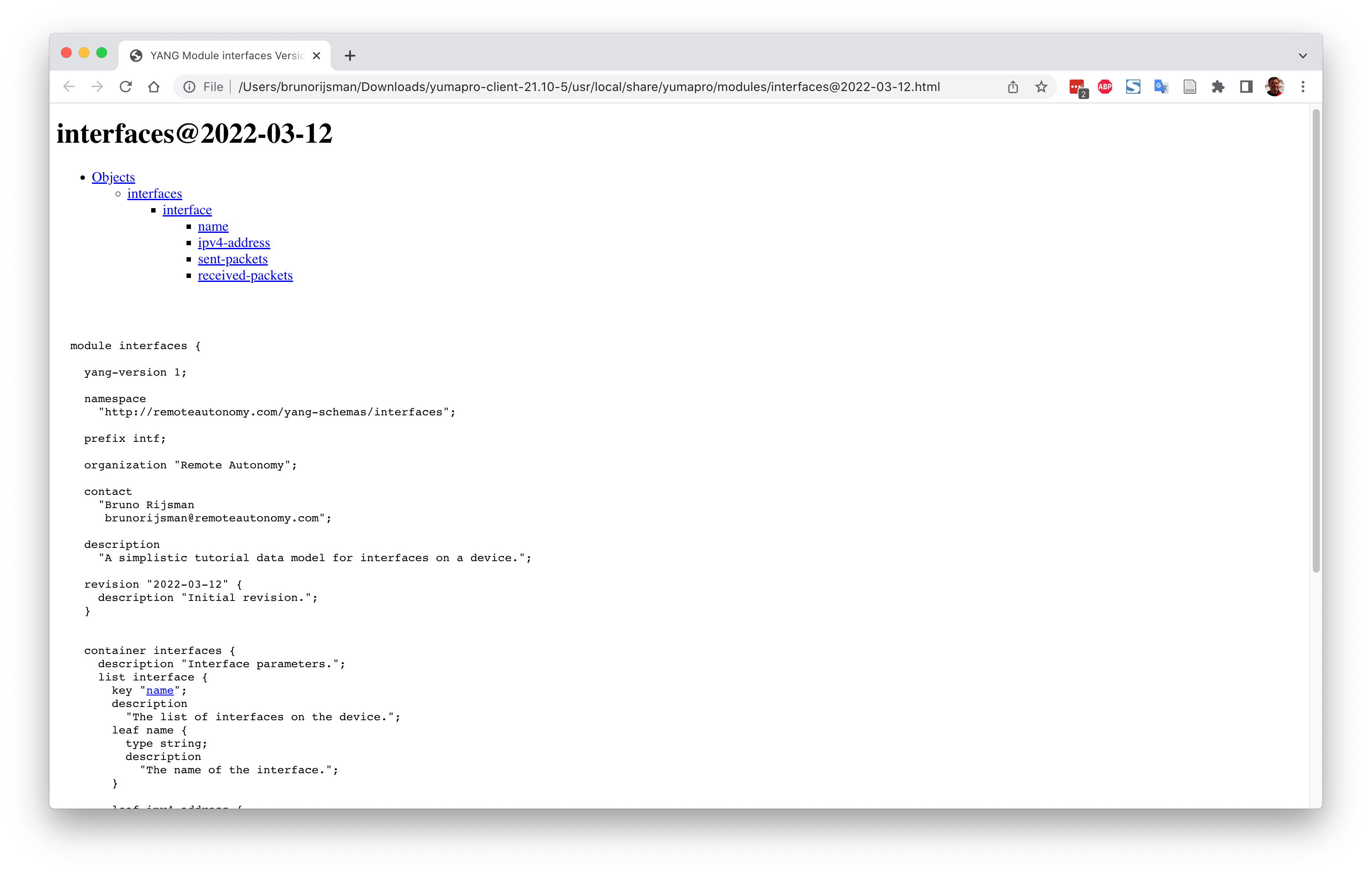
The following command converts a YANG file to HTML:
$ yangdump-pro --modpath=. --format=html ~/git-personal/yang-tutorial/interfaces.yang --output=.
This produces file ./interfaces@2022-03-12.html which can be viewed in a browser:
$ open interfaces@2022-03-12.html
Yangdump-pro can also convert a YANG file to a YIN file:
$ yangdump-pro --modpath=. --format=yin ~/git-personal/yang-tutorial/interfaces.yang

*** /Users/brunorijsman/git-personal/yang-tutorial/interfaces.yang
*** 0 Errors, 0 Warnings
<?xml version="1.0" encoding="UTF-8"?>
<module
  name="interfaces"
  xmlns="urn:ietf:params:xml:ns:yang:yin:1"
  xmlns:intf="http://remoteautonomy.com/yang-schemas/interfaces">
[...]
      <leaf name="received-packets">
        <type name="uint64" />
        <config value="false" />
        <description>
          <text>The number of IPv4 packets received over this interface</text>
        </description>
      </leaf>
    </list>
  </container>
</module>
Yangdump-pro can also generate C code (--format=c) and generate a schema for an SQL database
(--format=sqldb).