Pyang
Introduction
Pyang is an open source YANG validator, transformer, and code generator, written in Python.
Install Pyang
If you haven’t already done so, follow the instructions for setting up the environment for this tutorial page.
Make sure your Python virtual environment is active:
$ cd ~/yang-tutorial
$ source venv/bin/activate
(env) $
Install pyang into your virtual environment:
$ pip install pyang
Verify that pyang is properly installed:
$ pyang --version
pyang 2.5.2
One of the examples in the tutorial converts the YANG data model into a UML diagram. This requires PlantUML to be installed:
$ sudo apt install -y plantuml
Pyang: Validating a YANG data model
The simplest way of using pyang is to validate the correctness of a YANG data model:
$ pyang interfaces.yang
The fact that we get no output means that the YANG file was correct. In addition, the program returns status code zero, so you can do something like this:
$ if pyang interfaces.yang; then echo "All good"; else "There are errors"; fi
All good
Validate YANG data model bad-interfaces.yang to see an example of the error messages produced
by pyang:
$ pyang bad-interfaces.yang
bad-interfaces.yang:7: error: unexpected keyword "organisation"
bad-interfaces.yang:47: error: type "uint46" not found in module "bad-interfaces"
Pyang: Converting a YANG data model
YANG data models tend to be very long and verbose. Pyang can produce a summary of the YANG data model in a tree format:
$ pyang -f tree interfaces.yang
module: interfaces
  +--rw interfaces
     +--rw interface* [name]
        +--rw name                string
        +--rw ipv4-address?       string
        +--ro sent-packets?       uint64
        +--ro received-packets?   uint64
The command pyang --tree-help displays an explanation of the symbols in the tree diagram.
In addition to producing a tree summary, Pyang can also convert the YANG data model to many other formats:
$ pyang --help
Usage: pyang [options] [<filename>...]

Validates the YANG module in <filename> (or stdin), and all its dependencies.

Options:
  -h, --help            Show this help message and exit
[...]
  -f FORMAT, --format=FORMAT
                        Convert to FORMAT.  Supported formats are: yang, yin,
                        dsdl, omni, tree, jstree, flatten, uml, identifiers,
                        sample-xml-skeleton, capability, jsonxsl, depend,
                        jtox, name
[...]
We will give just a couple of examples of interesting format conversions.
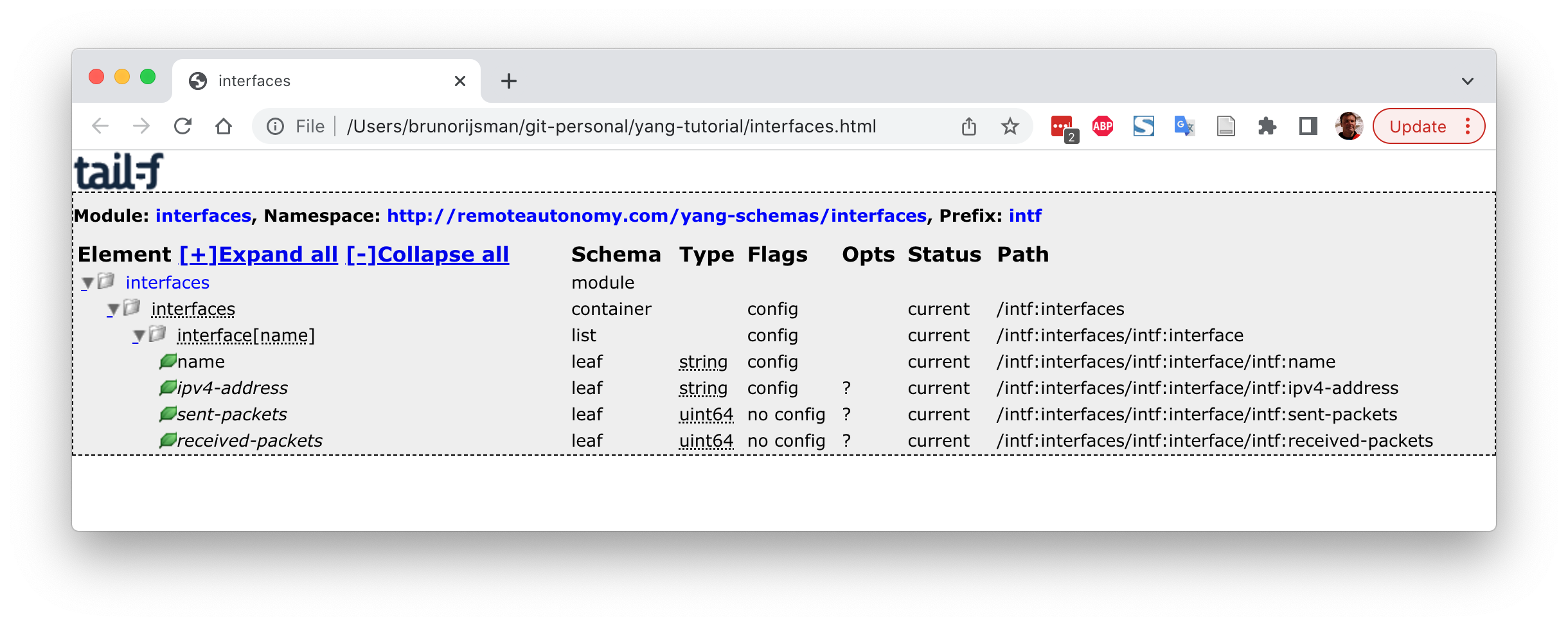
Use the following command to produce an HTML file that describes the YANG data model
(jstree stands for JavaScript tree):
$ pyang -f jstree interfaces.yang > interfaces.html
Use any web browser to view the produced HTML file. Here we assume that you are running Ubuntu and
that you can start firefox from command line (on macOS use open interfaces.html):
$ firefox interfaces.html
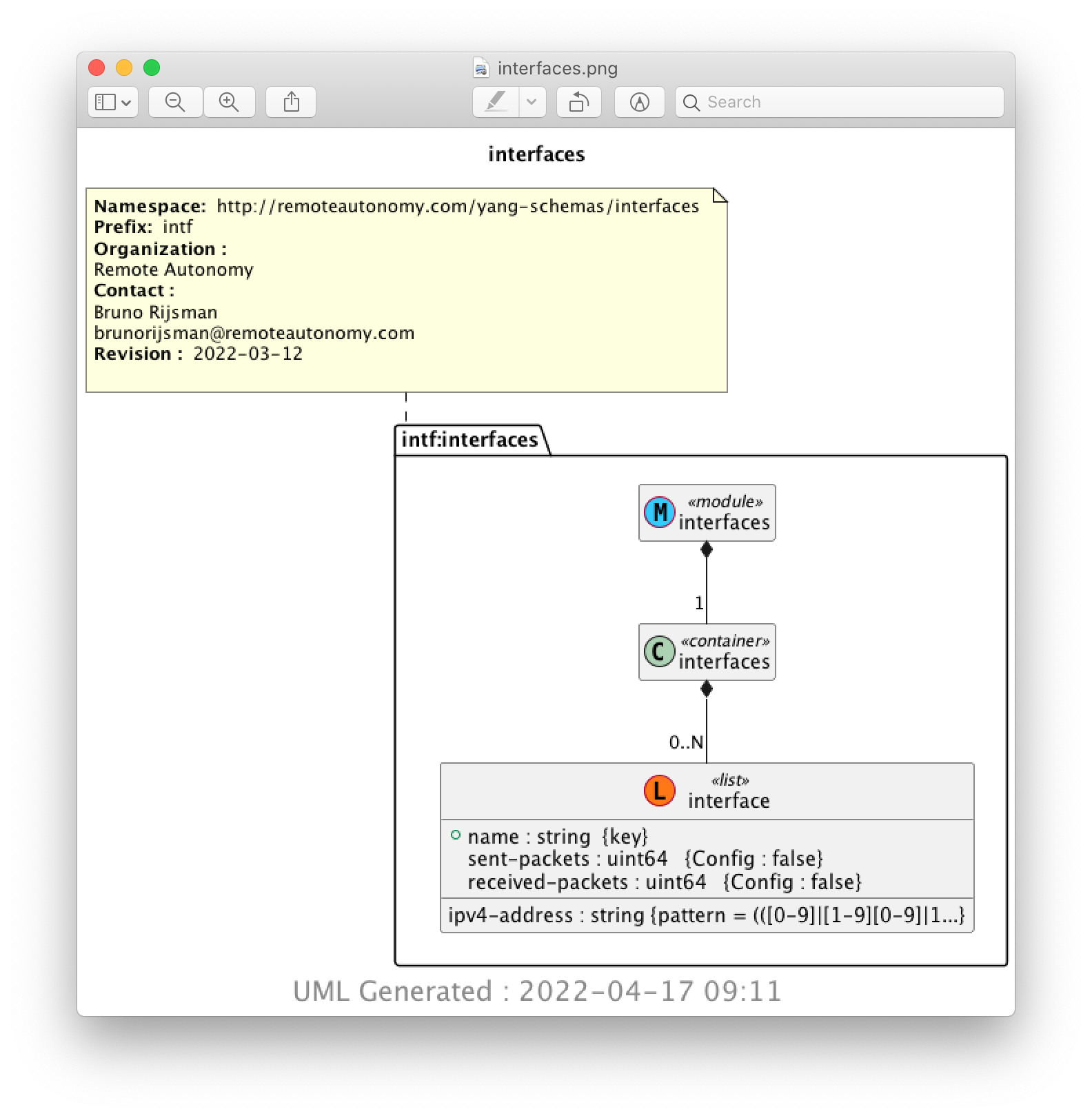
Another interesting option is to convert the YANG data model into a UML diagram:
$ pyang -f uml interfaces.yang > interfaces.uml
You need to have plantuml installed (see
pyang installation instructions
) to convert the produced UML text file to a graphical PNG file:
$ plantuml interfaces.uml
The PNG file can be viewed in a web browser:
$ firefox img/interfaces.png